
Most companies do not suffer from a lack of information. They suffer from information that is scattered, disconnected, or difficult to use when work is happening.
Policies may sit in a company wiki. Customer context lives in CRM. Approval status appears in ERP. Project decisions remain in chat. Support issues sit inside ticketing systems. Meanwhile, employees still rely on colleagues to explain what happened and what should happen next.
Documentation systems remain valuable. They store approved policies, procedures, contracts, and playbooks. However, documents alone cannot always explain the current state of a customer, request, project, or operational decision.
This is why enterprise knowledge management is changing. The goal is no longer only to store information in one portal. It is to deliver reliable context from documents, systems, conversations, and workflows at the moment employees need it.
AI search can support that shift. Yet it only creates value when it connects trusted sources, respects permissions, and shows where each answer came from.
Enterprise knowledge now lives in actions, not only documents
A documentation system usually describes what should happen.
A policy explains how employees should submit expenses. A sales playbook defines how teams should qualify leads. A procurement guide outlines which purchases require approval.
These documents remain essential. They give teams a shared reference and preserve approved business rules.
However, operational questions often require more than a rule.
Consider a simple question: Can this purchase request move forward?
The procurement policy may explain the approval process. Still, it cannot show whether the supplier has been approved, whether the budget is available, who currently owns the request, or which information is missing.
Those answers live elsewhere.
1. Documents explain the rule
Documents are most useful for stable knowledge. This includes policies, standard operating procedures, contracts, guides, templates, and compliance requirements.
They help employees understand how the company expects work to happen.
However, even a correct document can become difficult to use when employees do not know which version is current. Different folders may contain similar files. Teams may also use different terms for the same process.
Therefore, better documentation is necessary, but it does not solve the entire knowledge problem.
2. Systems show the current state
Business systems hold live operational data.
CRM shows the current sales stage. ERP shows approval and transaction status. Finance systems show invoices and budgets. HR platforms show employee records. Ticketing systems show unresolved customer issues.
This information changes as work progresses.
As a result, the answer to an operational question may depend on both a document and a system record. The document explains the policy, while the system shows how that policy applies to the current case.
3. Conversations explain the context
Some of the most valuable company knowledge never becomes a formal document.
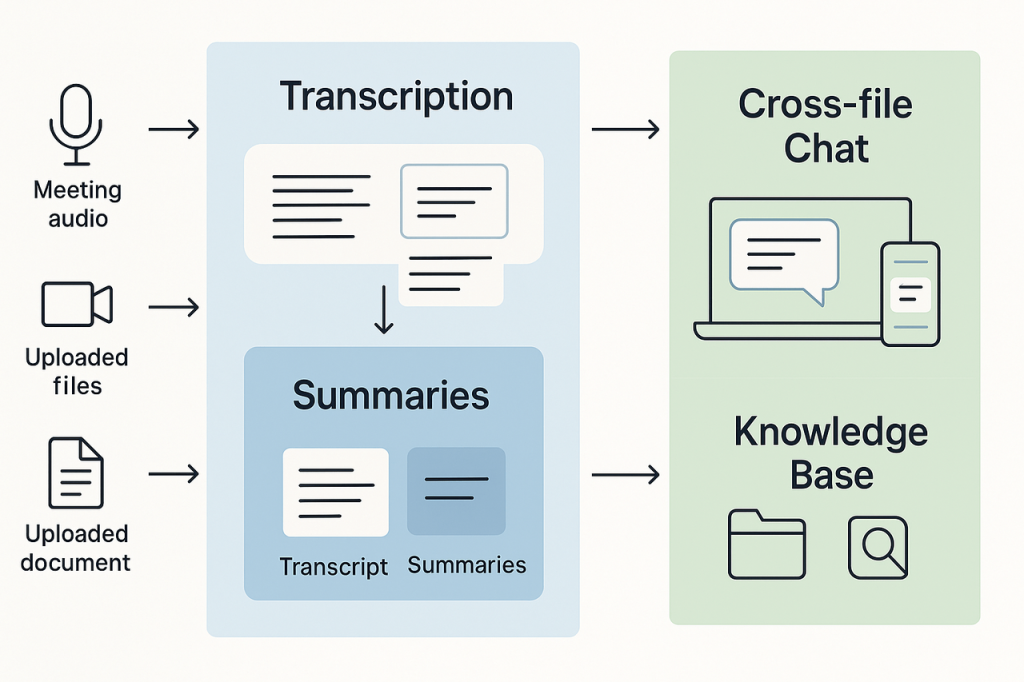
A manager may explain an exception in chat. A customer may confirm a requirement by email. A project team may record an important trade-off in meeting notes. Support may identify the cause of a recurring issue inside a ticket thread.
This context often explains why a decision was made.
However, it can also become difficult to retrieve later. A new employee may see the final system status but not understand the discussion behind it. Another team may repeat an investigation because the earlier conclusion remains buried in chat.
4. Workflows show ownership and next action
Workflow information is also a form of enterprise knowledge.
Employees need to know who owns the next step, where a request is blocked, what still needs approval, and when escalation is required.
A static document cannot answer these questions on its own.
This is the core limitation of traditional knowledge portals. They organize content, but they often sit beside the systems where daily work happens.
Employees must still leave the portal, open several tools, and rebuild the context manually.
That burden matters. According to Microsoft’s analysis of modern work patterns, employees using Microsoft 365 are interrupted by a meeting, email, or notification every two minutes. Searching across disconnected systems adds another layer of interruption.
The deeper issue is not that knowledge portals have become useless. It is that they cannot provide complete operational context when they stand alone.
A document can explain the process. Only connected data can explain the current case.
AI Search Is Becoming an Interface for Operational Knowledge
Traditional enterprise search often starts with a keyword. The employee types a phrase, reviews a list of results, opens several files, and decides which source is relevant. This works well when the user knows what to search for and where the answer is likely to exist.
However, many operational questions do not map neatly to one document.
Imagine an employee asking: Why is this customer onboarding delayed?
The answer may require information from several places:
- The deal status in CRM
- The approved contract
- The customer’s payment condition
- The assigned delivery owner
- A missing compliance document
- The latest support or chat update
A useful AI search system must connect these signals. It should then explain the blocker, identify the responsible owner, and show the source records behind the answer.
This is different from simply summarizing documents.
1. Search across connected sources
AI search should retrieve information from the systems that hold relevant knowledge. These may include documents, databases, CRM, ERP, project tools, support tickets, email, and internal platforms.
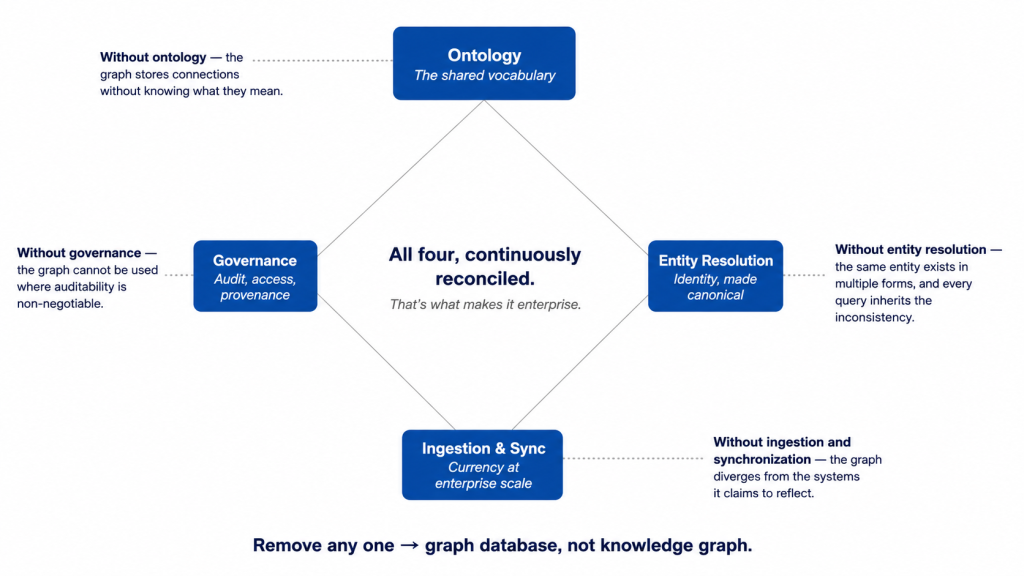
The value comes from connecting them. For example, Glean’s enterprise knowledge graph models relationships between company content, people, and activity. This approach reflects an important principle: enterprise knowledge depends on connections, not only individual files.
A customer record may relate to a contract, project, account owner, support history, and internal decision. Search becomes more useful when the system understands those relationships.
2. Understand user and workflow context
The same question can require different answers for different users.
An employee may only need the status of a request. A manager may need the delay reason and accountable owner. Finance may need the budget impact and supporting documents.
Therefore, AI search should consider role, department, permissions, and current workflow context. Without this layer, a system may return information that is technically relevant but operationally unhelpful.
3. Return source-grounded answers
AI-generated answers can sound convincing even when they are incomplete.
For this reason, enterprise search should show which sources support the answer. Employees should be able to open the related document, record, ticket, or system event.
Retrieval-augmented generation can support this model. The NIST definition of retrieval-augmented generation describes a system that retrieves relevant information from a separate knowledge base and provides it to a generative model as context.
However, retrieval alone does not guarantee accuracy. The retrieved content may be outdated, conflicting, or irrelevant.
Reliable enterprise search still requires content ownership, source ranking, review cycles, and clear rules for handling conflicting information.
4. Respect existing access controls
AI search should not create a new path around company permissions.
If a user cannot access a salary record, confidential contract, or leadership report, the search system should not reveal its contents in an answer.
Permission-aware retrieval is essential for trust.
It also means that two users may receive different answers to the same question. That is not necessarily a flaw. It may be the correct result when their access rights differ.
The main value of AI search is not that it can answer every question. Its value is that it can turn approved information from several sources into useful operational context.
AI search becomes valuable when it helps employees understand the current situation, not when it simply summarizes more content.
Build enterprise knowledge retrieval into daily workflows
A knowledge system creates more value when employees can use it inside the platforms where work already happens.
Otherwise, AI search risks becoming another portal that employees must remember to open.
A practical implementation should begin with the workflow, not the model.
Step 1: Connect trusted sources first
Companies should define which system owns each type of information.
CRM may own customer and pipeline data. ERP may own operational transactions and approvals. Finance systems may own invoices and budgets. The knowledge portal may own approved policies and procedures.
Clear source ownership reduces conflicting answers.
It also helps the search system decide which record should receive more weight when several sources contain similar information.
Step 2: Start with high-value operational questions
Businesses do not need to connect every source at once.
They should begin with questions that repeatedly interrupt employees and managers:
- What is blocking this request?
- Who owns the next step?
- Which policy applies to this case?
- What changed since the last update?
- Which customer commitment affects delivery?
- What information is still missing?
These questions expose where knowledge fragmentation creates real operational cost.
They also provide clear measures for success. The business can track whether the system reduces search time, manual follow-up, repeated questions, and workflow delays.
Step 3: Add permission logic and traceability
Every answer should reflect the user’s access rights.
The system should also log the query, sources retrieved, answer generated, and action taken afterward. This creates a reviewable trail.
Feedback is equally important. Employees should be able to flag an outdated source, correct an answer, or indicate that the response did not solve the problem.
Over time, this feedback improves both the search experience and the underlying knowledge base.
Step 4: Let employees continue the work
The strongest knowledge systems do more than return information.
After explaining why a request is blocked, the system may help the user open the missing document, contact the current owner, update a record, or continue the approval workflow.
This is where Twendee’s role becomes practical. Twendee builds AI-powered knowledge systems connected to internal data sources. These systems can retrieve information from documents, databases, ERP, CRM, and other internal platforms.
Twendee can also integrate the retrieval layer into daily workflows.
For example, an employee working inside ERP could ask about a pending request. The AI assistant could return its current status, missing information, assigned approver, and related source records.
The employee would not need to search a separate portal and then return to ERP to continue the task.
Twendee also designs permission controls, source traceability, logging, and workflow actions around the retrieval experience. This helps companies create knowledge systems that remain useful, reviewable, and aligned with existing business rules.
The goal is not another place to search.
It is a knowledge layer embedded in the systems where work already happens.
Conclusion
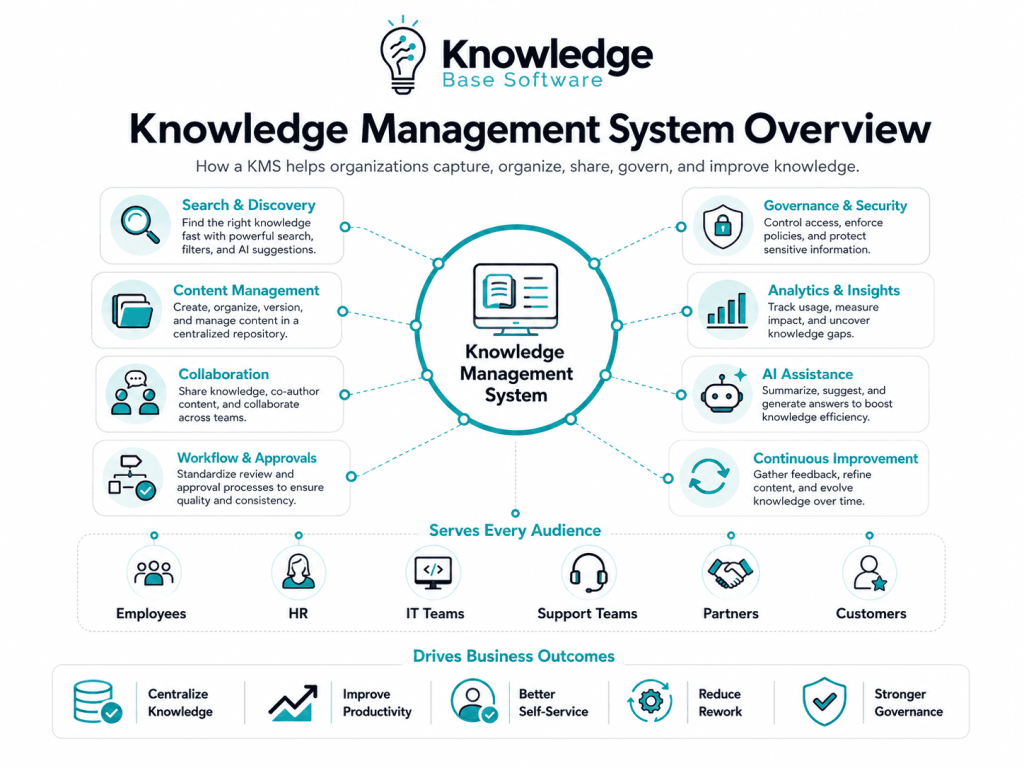
Enterprise knowledge is no longer stored only in documents. Documents still provide essential policies, procedures, and approved guidance. However, current operational context also lives in business systems, conversations, decisions, and workflow states.
Traditional knowledge portals remain useful, but they are less effective when employees must answer questions that depend on several live sources.
AI search offers a new access layer for enterprise knowledge management. It can connect information across internal systems and deliver answers inside daily work. Yet reliable results still depend on trusted sources, permission controls, source traceability, and clear data ownership.
Twendee helps businesses build AI-powered knowledge systems connected to ERP, CRM, databases, documents, and internal platforms. By embedding knowledge retrieval into daily workflows, Twendee helps employees move from finding information to acting on it with clearer context.
Book a call: Calendly
Read latest blog: AI Workloads Are Breaking Old Cloud Cost Planning